Musify vs nuclear
Music streaming apps compared
Musify and nuclear both let users find and play music, create playlists, and view lyrics. Musify is an Android-focused Flutter app with offline listening, while nuclear is a plugin-driven desktop player for Windows, macOS, and Linux.

Musify: Stream Music with a Flutter App
Musify is a Flutter music-streaming app for Android, with beta support for Linux and Windows. It combines online search and playback with offline listening, playlists, lyrics, radio, and music-library tools.
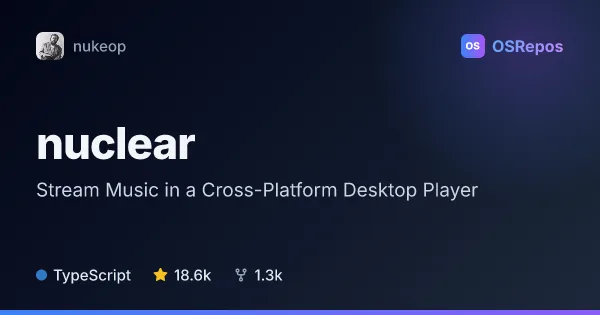
nuclear: Stream Music in a Cross-Platform Desktop Player
Nuclear is a free desktop music player for Windows, macOS, and Linux that searches for music and streams it from available sources. Its plugin system, playlists, lyrics, and AI-agent control suit listeners who want a customizable player rather than a conventional streaming subscription app.
| Musify | nuclear | |
|---|---|---|
| Language | Dart | TypeScript |
| License | GPL-3.0 | AGPL-3.0 |
| Stars | 4.4k | 18.6k |
| Forks | 422 | 1.3k |
| Last analyzed | Nov 6, 2026 | Oct 11, 2026 |
Key differences
- Musify focuses on Android and offers Linux and Windows builds in beta; nuclear targets desktop use on Windows, macOS, and Linux.
- Musify includes offline listening, radio, and Spotify playlist import; nuclear emphasizes plugin-provided music sources, desktop queue controls, and listening history.
- Musify is built with Flutter and Dart, while nuclear uses React, Tauri, and Rust and provides an MCP server for control by compatible AI clients.
- Musify is licensed under GPL-3.0; nuclear uses AGPL-3.0, whose terms should be reviewed especially for network-accessible deployments or distribution.
- Both are active and not archived, but development is concentrated primarily in one person for Musify and among a small number of contributors, primarily one person, for nuclear.
- Musify describes itself as a music-streaming app and points users to GitHub Releases and F-Droid; nuclear is a desktop player whose sources and some features depend on installed plugins.
Choose Musify if you…
- need Android streaming and offline listening in one app.
- want to import Spotify playlists or listen to radio and lyrics.
- prefer Flutter and Dart, or are willing to try Linux or Windows beta builds.
Choose nuclear if you…
- want a desktop player for Windows, macOS, or Linux.
- want to extend music sources and functionality through plugins.
- want to control playback from a compatible AI client through MCP.
Compare the numbers side by side, or add more projects
This comparison is generated with AI from the OSRepos analyses of both projects. Always check each project's repository and documentation before choosing.