pgcli: An Enhanced PostgreSQL Command-Line Interface
This repository profile is provided by osrepos.com, an open source repository discovery platform.
Summary
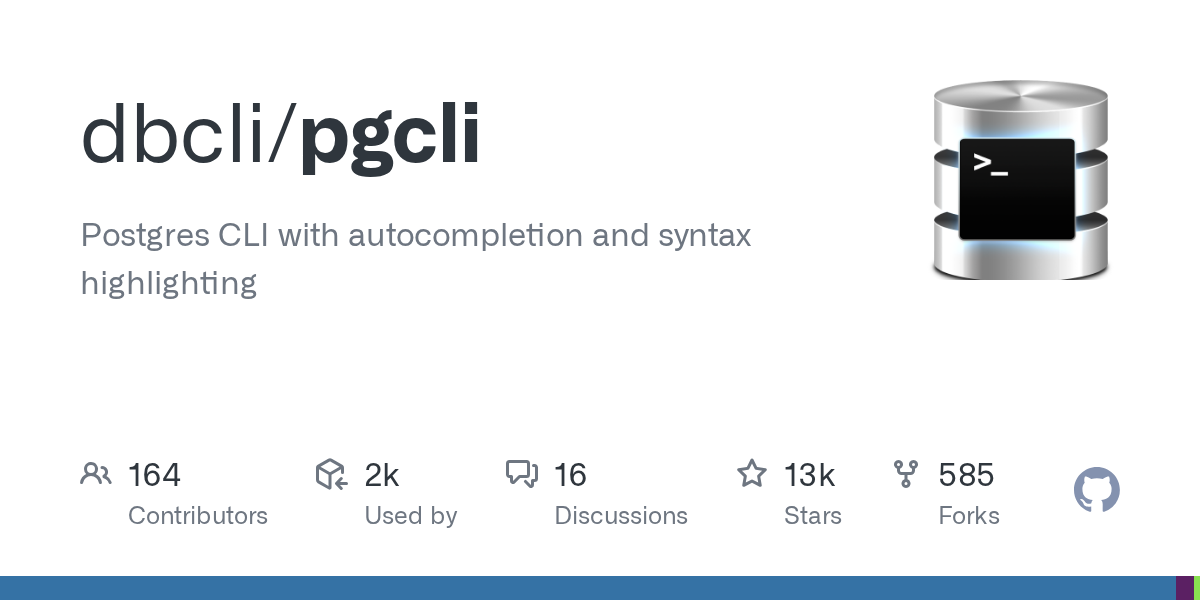
pgcli is a powerful command-line interface for PostgreSQL, designed to enhance productivity. It offers intelligent autocompletion and vibrant syntax highlighting, making database interactions more intuitive. This Python-based tool provides a superior alternative to the standard `psql` client for developers and DBAs.
Repository Information
Topics
Click on any tag to explore related repositories
Use at your own risk
OSRepos shares public repositories for knowledge and discovery only. Any installation, execution, configuration, or use of code from these repositories is the user's own responsibility. Always review the repository, source code, dependencies, licenses, and security implications before running or installing anything. OSRepos is not responsible for issues, damages, or losses resulting from third-party repositories.
Introduction
pgcli is an open-source command-line interface (CLI) for PostgreSQL databases, developed by dbcli. It stands out by providing a rich interactive experience with features like intelligent autocompletion and syntax highlighting. This Python-based tool aims to make working with PostgreSQL from the terminal more efficient and enjoyable for developers and database administrators.
Installation
Installing pgcli is straightforward across various platforms. Here are some common methods:
- Using pip (Python package manager):
$ pip install -U pgcli - On Debian-based Linux (e.g., Ubuntu, Mint):
$ sudo apt-get install pgcli - On macOS (using Homebrew):
$ brew install pgcli - Using pipx (for isolated environments):
$ pipx install pgcli - Using uvx (install on the fly):
$ uvx pgcli - Via Docker:
$ docker build -t pgcli .
$ docker run --rm -ti --net host pgcli pgcli -h localhost foo
For more detailed instructions, including setting up Python environments, please refer to the official installation guide.
Examples
Connecting to your PostgreSQL database with pgcli is simple. You can specify the database name directly or use a full connection string:
- Connect to a local database:
$ pgcli local_database - Connect using a comprehensive connection string:
$ pgcli postgres://amjith:pa$$w0rd@example.com:5432/app_db?sslmode=verify-ca&sslrootcert=/myrootcert
pgcli also supports many environment variables similar to psql (e.g., PGHOST, PGPORT, PGUSER, PGPASSWORD, PGDATABASE) and SSL-related environment variables for secure connections.
To explore all available options, use the --help command:
$ pgcli --help

Usage: pgcli [OPTIONS] [DBNAME] [USERNAME]

Options:
  -h, --host TEXT            Host address of the postgres database.
  -p, --port INTEGER         Port number at which the postgres instance is
                             listening.
  -U, --username TEXT        Username to connect to the postgres database.
  -u, --user TEXT            Username to connect to the postgres database.
  -W, --password             Force password prompt.
  -w, --no-password          Never prompt for password.
  --single-connection        Do not use a separate connection for completions.
  -v, --version              Version of pgcli.
  -d, --dbname TEXT          database name to connect to.
  --pgclirc FILE             Location of pgclirc file.
  -D, --dsn TEXT             Use DSN configured into the [alias_dsn] section
                             of pgclirc file.
  --list-dsn                 list of DSN configured into the [alias_dsn]
                             section of pgclirc file.
  --row-limit INTEGER        Set threshold for row limit prompt. Use 0 to
                             disable prompt.
  --less-chatty              Skip intro on startup and goodbye on exit.
  --prompt TEXT              Prompt format (Default: "\u@\h:\d> ").
  --prompt-dsn TEXT          Prompt format for connections using DSN aliases
                             (Default: "\u@\h:\d> ").
  -l, --list                 list available databases, then exit.
  --auto-vertical-output     Automatically switch to vertical output mode if
                             the result is wider than the terminal width.
  --warn [all|moderate|off]  Warn before running a destructive query.
  --help                     Show this message and exit.
Why Use pgcli?
pgcli offers several compelling features that make it a superior choice for interacting with PostgreSQL databases from the command line:
- Intelligent Autocompletion: It auto-completes SQL keywords, table names, and column names as you type, significantly speeding up query writing.
- Context-Sensitive Smart-Completion: For example,
SELECT * FROM <tab>will only suggest table names, whileSELECT * FROM users WHERE <tab>will suggest column names from theuserstable. - Syntax Highlighting: Queries are beautifully highlighted using Pygments, improving readability and helping to spot errors.
- Pretty Printing: Tabular data results are formatted cleanly, making it easier to read and analyze query outputs.
- psql Back-Slash Commands: Supports primitive
psqlback-slash commands for familiar operations. - IPython Integration: Can be run within an IPython console, allowing you to iterate on queries and retrieve results directly into your IPython workspace.
Links
- GitHub Repository: https://github.com/dbcli/pgcli
- Official Homepage: http://pgcli.com
- MySQL Equivalent (mycli): http://mycli.net
- Detailed Installation Instructions: https://github.com/dbcli/pgcli#detailed-installation-instructions
Related repositories
Similar repositories that may be relevant next.
pg_textsearch: Modern BM25 Full-Text Search for PostgreSQL
June 12, 2026
pg_textsearch is a powerful PostgreSQL extension that brings modern BM25 relevance-ranked full-text search capabilities directly to your database. It offers a simple syntax, configurable parameters, and integrates seamlessly with existing PostgreSQL text search configurations. This extension provides best-in-class performance and scalability for your search needs.
TidesDB: A High-Performance Embeddable Storage Engine in C
June 9, 2026
TidesDB is a high-performance, adaptive, and durable embeddable storage engine library written in C. It is built on a log-structured merge-tree (LSM-tree) and offers ACID transactions with MVCC, multi-column family support, and cross-platform compatibility. Designed for flash and RAM optimization, TidesDB provides a robust foundation for building scalable key-value or column stores.
MongoDB MCP Server: Connect to MongoDB and Atlas with Model Context Protocol
May 5, 2026
The MongoDB MCP Server is a Model Context Protocol server designed to facilitate interaction with MongoDB databases and MongoDB Atlas clusters. It provides a standardized way for clients to access and manage MongoDB data and Atlas resources, supporting a wide range of database and Atlas-specific tools.

KurrentDB: An Event-Native Database for Modern Event-Driven Architectures
April 19, 2026
KurrentDB is an innovative database designed for modern software and event-driven architectures. Its event-native approach simplifies data modeling and ensures data integrity, while an integrated streaming engine addresses distributed messaging and data consistency challenges. This powerful platform, formerly known as EventStoreDB, provides a robust solution for complex data management.
Source repository
Open the original repository on GitHub.
13 counted GitHub visits