Article-Assistant--RAG-Telegram-Bot: AI-Powered Knowledge Base via Telegram
This repository profile is provided by osrepos.com, an open source repository discovery platform.
Summary
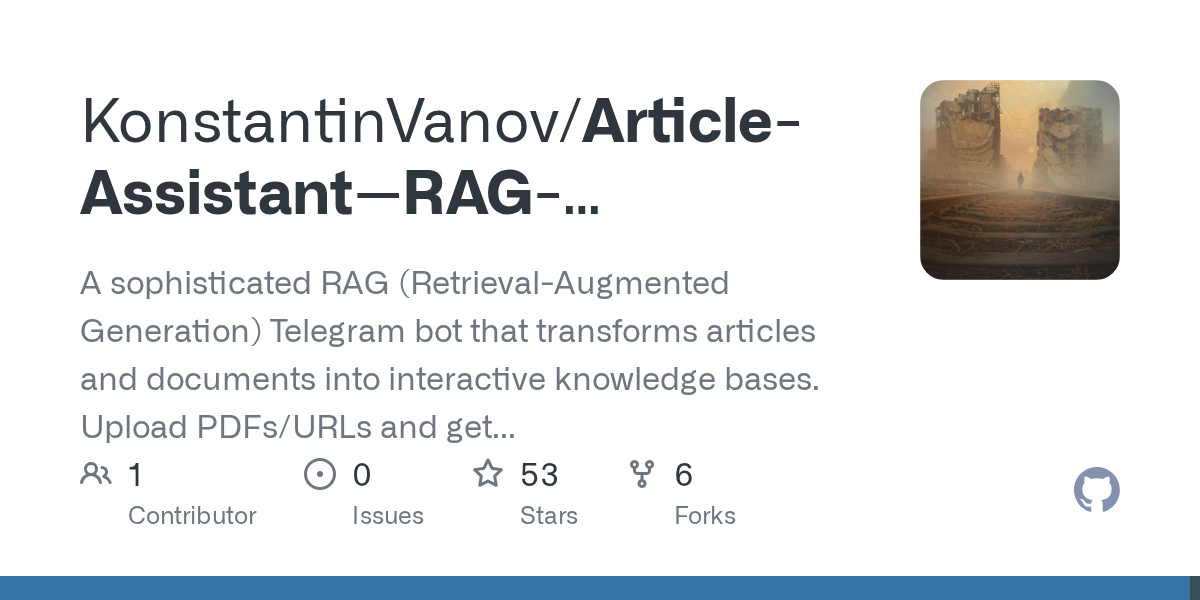
The Article Assistant is a sophisticated RAG (Retrieval-Augmented Generation) Telegram bot designed to create interactive knowledge bases from various documents. Users can upload PDFs or provide URLs, and the bot will provide AI-powered answers with source citations. This tool efficiently transforms static content into a dynamic, queryable resource.
Repository Information
Topics
Click on any tag to explore related repositories
Use at your own risk
OSRepos shares public repositories for knowledge and discovery only. Any installation, execution, configuration, or use of code from these repositories is the user's own responsibility. Always review the repository, source code, dependencies, licenses, and security implications before running or installing anything. OSRepos is not responsible for issues, damages, or losses resulting from third-party repositories.
Introduction
The Article Assistant is a sophisticated RAG (Retrieval-Augmented Generation) Telegram bot that transforms articles and documents into interactive knowledge bases. This powerful tool allows users to upload PDFs, provide URLs, or even process YouTube videos, then ask AI-powered questions and receive answers with source citations. Built with Python, LangChain, and OpenAI, it offers a seamless way to interact with your content.
Installation
Getting the Article Assistant up and running is straightforward, with a recommended Docker deployment for ease of use.
Docker Deployment (Recommended)
For the simplest setup, use Docker and Docker Compose:
# Clone the repository
git clone https://github.com/KonstantinVanov/Article-Assistant--RAG-Telegram-Bot.git
cd Article-Assistant--RAG-Telegram-Bot

# Configure environment variables
cp .env.example .env
# Edit .env with your Telegram Bot Token and OpenAI API Key
# nano .env

# Build and start the containers
docker-compose up -d --build
Traditional Installation (Without Docker)
If you prefer a traditional setup:
git clone https://github.com/KonstantinVanov/Article-Assistant--RAG-Telegram-Bot
cd Article-Assistant--RAG-Telegram-Bot
python -m venv venv
source venv/bin/activate  # Linux/Mac
# venv\Scripts\activate     # Windows
pip install -r requirements.txt
After installation, create a .env file with your TELEGRAM_TOKEN and OPENAI_API_KEY, then launch the bot:
python RAG_bot/bot_main.py
Examples
The Article Assistant offers a variety of interactive features:
- Upload a PDF: Send a PDF file directly to the bot for indexing.
- Process YouTube Videos: Provide a YouTube URL, and the bot will download, transcribe, and index the video content for Q&A.
- Ask Questions: Once content is indexed, simply type your questions to get AI-powered answers.
- Get Summaries: Use the "Summary" button to generate key point summaries of your indexed content.
- Multilingual Support: Switch between English and Russian interfaces using the language button.
Why Use It
The Article Assistant stands out as an invaluable tool for anyone looking to extract knowledge efficiently from various sources. Its key benefits include:
- Interactive Knowledge Bases: Transform static articles, documents, and videos into dynamic, queryable resources.
- Source Citations: Get accurate answers backed by direct references to the original content.
- Versatile Content Support: Process web articles, PDFs, TXT files, and even YouTube videos.
- No Request Limits: Enjoy unlimited questions and processing for your indexed content.
- Easy Deployment: With Docker support, getting started is quick and hassle-free.
- AI-Powered Insights: Leverage advanced RAG architecture for intelligent summarization and Q&A.
Links
- GitHub Repository: https://github.com/KonstantinVanov/Article-Assistant--RAG-Telegram-Bot
- Contact Developer: @Konstantin_vanov on Telegram
Related repositories
Similar repositories that may be relevant next.
AutoResearch: AI/ML Research Agents from Idea to Paper-Ready Evidence
September 22, 2026
AutoResearch is an open-source agent workflow designed for AI and machine learning research. It automates the entire research process, from generating ideas and planning experiments to execution, analysis, and independent evaluation. This project helps researchers produce paper-ready evidence efficiently and with traceable provenance.
HarnessRouter: Unified Interface for AI Agent Harnesses
September 22, 2026
HarnessRouter Community Edition provides a self-hosted, Apache-2.0 licensed unified interface for various AI agent harnesses like Codex, Claude Code, and Hermes. It allows users to run multiple agents through a single API, offering features such as sessions, streaming, file handling, and cancellation. The project implements the open-standard Unified Harness Protocol (UHP), ensuring users maintain control over their keys and infrastructure.
AREX-Skill: A Skill Library for Automated Machine Learning and Auto-Research
September 21, 2026
AREX-Skill is a powerful skill library designed to advance automated machine learning and auto-research. It distills over 5,000 executable skills from more than 1,000 popular GitHub repositories, making complex ML knowledge directly usable by coding agents. This project significantly enhances agent performance in various research tasks by providing structured, validated operating knowledge.
oh-my-hermes: Enhance Hermes Agent with Advanced AI Workflow and Memory
September 17, 2026
oh-my-hermes is an all-in-one plugin designed to significantly enhance the Hermes Agent. It provides advanced coding intelligence, a robust long-term memory system, and optimized workflow packages, transforming standard Hermes requests into structured, actionable tasks with clear operational layers.
Source repository
Open the original repository on GitHub.
25 counted GitHub visits