Langsmith-sdk: Client SDK for LLM Debugging, Evaluation, and Monitoring
This repository profile is provided by osrepos.com, an open source repository discovery platform.
Summary
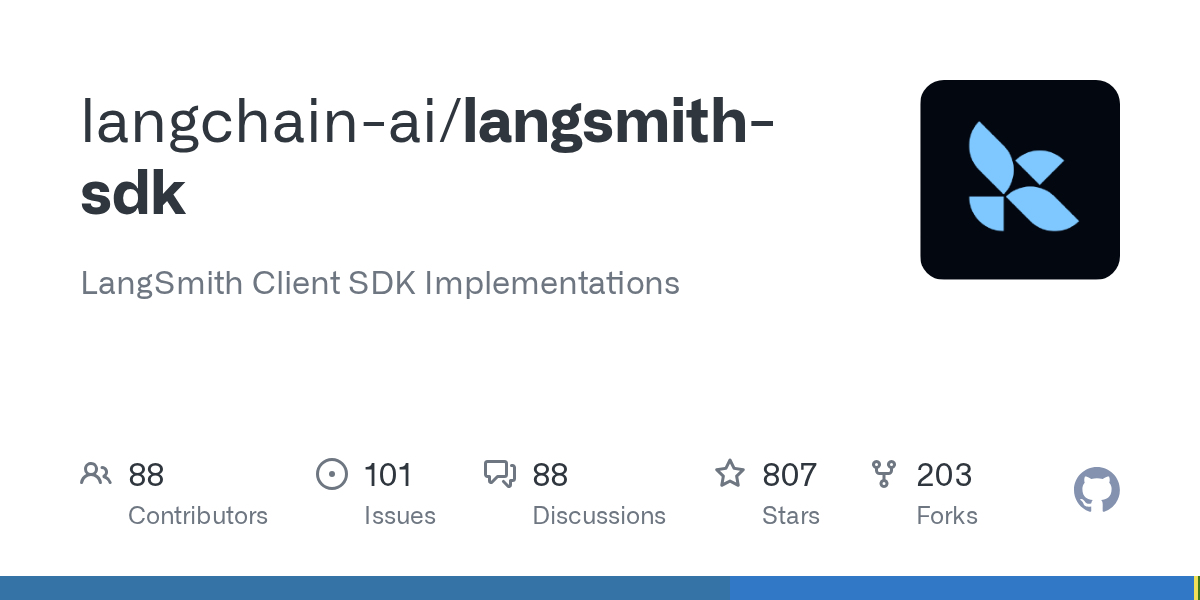
The Langsmith-sdk provides client SDKs for interacting with the LangSmith platform, enabling robust debugging, evaluation, and monitoring of language models and intelligent agents. It offers native integrations with both LangChain Python and LangChain JS, making it an essential tool for LLM application development.
Repository Information
Topics
Click on any tag to explore related repositories
Use at your own risk
OSRepos shares public repositories for knowledge and discovery only. Any installation, execution, configuration, or use of code from these repositories is the user's own responsibility. Always review the repository, source code, dependencies, licenses, and security implications before running or installing anything. OSRepos is not responsible for issues, damages, or losses resulting from third-party repositories.
Introduction
The langsmith-sdk repository hosts the official Python and JavaScript SDKs for seamless interaction with the LangSmith platform. Developed and maintained by LangChain, the company behind the popular LangChain framework, LangSmith is designed to help teams debug, evaluate, and monitor their language models and intelligent agents. It integrates natively with both LangChain Python and LangChain JS open-source libraries, supporting any LLM application.
Installation
Getting started with the langsmith-sdk is straightforward for both Python and JavaScript environments.
Python
To install the Python SDK, use pip:
pip install -U langsmithThen, set up your environment variables:
export LANGSMITH_TRACING=true
export LANGSMITH_API_KEY=ls_...
export LANGSMITH_WORKSPACE_ID=<your-workspace-id> # Required for org-scoped keys
JavaScript / TypeScript
To install the JavaScript/TypeScript SDK, use yarn or npm:
yarn add langsmith
# or npm install langsmith
And configure your environment:
export LANGSMITH_TRACING=true
export LANGSMITH_API_KEY=ls_...
export LANGSMITH_WORKSPACE_ID=<your-workspace-id> # Required for org-scoped keys
Examples
Once installed and configured, you can start tracing your LLM applications.
Python Example
import openai
from langsmith import traceable
from langsmith.wrappers import wrap_openai

client = wrap_openai(openai.Client())

client.chat.completions.create(
    messages=[{"role": "user", "content": "Hello, world"}],
    model="gpt-3.5-turbo"
)
JavaScript Example
import { OpenAI } from "openai";
import { traceable } from "langsmith/traceable";
import { wrapOpenAI } from "langsmith/wrappers";

const client = wrapOpenAI(new OpenAI());

await client.chat.completions.create({
  model: "gpt-3.5-turbo",
  messages: [{ content: "Hi there!", role: "user" }],
});
Why Use LangSmith?
LangSmith is an invaluable tool for anyone developing with Large Language Models. It provides a comprehensive platform for:
- Debugging: Quickly identify and resolve issues in your LLM applications.
- Evaluation: Systematically assess the performance and quality of your models and agents.
- Monitoring: Keep track of your LLM applications in production, ensuring optimal performance and detecting anomalies.
By offering these capabilities, LangSmith helps developers build more reliable, performant, and robust LLM-powered solutions.
Links
- GitHub Repository: langchain-ai/langsmith-sdk
- LangSmith Platform: smith.langchain.com
- LangSmith Documentation: docs.smith.langchain.com
- LangSmith Cookbook: langchain-ai/langsmith-cookbook
- LangChain Python: langchain-ai/langchain
- LangChain JS: langchain-ai/langchainjs
Related repositories
Similar repositories that may be relevant next.
Ragas: Supercharge Your LLM Application Evaluations
August 9, 2026
Ragas is an ultimate toolkit for evaluating and optimizing Large Language Model (LLM) applications. It offers objective metrics, intelligent test generation, and data-driven insights to move beyond subjective assessments. This framework helps developers build feedback loops and continuously improve their LLM applications.
DeepFabric: High-Quality Synthetic Data for Agentic AI Systems
July 2, 2026
DeepFabric is an open-source Python library designed to generate high-quality synthetic training data for language models and agent evaluations. It excels at creating domain-specific datasets that teach models to think, plan, and act effectively, including correct tool usage and adherence to schema structures. This comprehensive pipeline also integrates training and evaluation capabilities, ensuring robust model development.
Lighteval: Your All-in-One Toolkit for LLM Evaluation
July 1, 2026
Lighteval is a comprehensive toolkit from Hugging Face for evaluating Large Language Models (LLMs) across various backends. It enables users to dive deep into model performance by saving detailed, sample-by-sample results and supports over 1000 evaluation tasks. The framework offers extensive customization options, allowing users to create custom tasks and metrics tailored to their specific needs.
LangWatch: The Platform for LLM Evaluations and AI Agent Testing
April 28, 2026
LangWatch is an open-source platform designed for end-to-end LLM evaluations and AI agent testing. It helps teams test, simulate, evaluate, and monitor LLM-powered agents both before release and in production. Built for robust regression testing, simulations, and production observability, LangWatch eliminates the need for custom tooling.
Source repository
Open the original repository on GitHub.
18 counted GitHub visits