typed-ffmpeg: Type-Safe FFmpeg Bindings for Python and TypeScript
This repository profile is provided by osrepos.com, an open source repository discovery platform.

Summary
typed-ffmpeg offers a modern, type-safe interface to FFmpeg for both Python and TypeScript. It provides extensive support for complex filters with detailed typing, documentation, and features like JSON serialization of filter graphs and automatic FFmpeg validation. This project enhances functionality by addressing common limitations found in similar tools, ensuring a robust development experience.
Repository Information
Topics
Click on any tag to explore related repositories
Use at your own risk
OSRepos shares public repositories for knowledge and discovery only. Any installation, execution, configuration, or use of code from these repositories is the user's own responsibility. Always review the repository, source code, dependencies, licenses, and security implications before running or installing anything. OSRepos is not responsible for issues, damages, or losses resulting from third-party repositories.
Introduction
typed-ffmpeg provides a modern, type-safe interface for interacting with FFmpeg in both Python and TypeScript. Inspired by ffmpeg-python, this project significantly enhances functionality by offering comprehensive typing, improved IDE integration, and new features such as JSON serialization of filter graphs and automatic FFmpeg validation. It supports multiple FFmpeg major versions through separate, dedicated packages, ensuring compatibility and flexibility for developers working with various FFmpeg environments. Additionally, an interactive playground is available for hands-on experimentation.
Installation
To get started with typed-ffmpeg, you can install the Python package via pip. Ensure FFmpeg is already installed on your system.
Python Installation:
Install the latest version (bindings for FFmpeg 8.x):
pip install typed-ffmpeg
Or install bindings for a specific FFmpeg version:
pip install typed-ffmpeg-v5   # FFmpeg 5.x
pip install typed-ffmpeg-v6   # FFmpeg 6.x
pip install typed-ffmpeg-v7   # FFmpeg 7.x
pip install typed-ffmpeg-v8   # FFmpeg 8.x
With optional extras:
pip install 'typed-ffmpeg[graph]'          # graph visualization
pip install 'typed-ffmpeg[parse]'          # CLI parsing support
pip install 'typed-ffmpeg-v7[parse]'       # CLI parsing for FFmpeg 7.x
If you need to install ffmpeg-python simultaneously, use pip install typed-ffmpeg-compatible to prevent module name conflicts. Then, use import typed_ffmpeg as ffmpeg.
TypeScript Installation (Experimental):
TypeScript bindings are available as npm packages for each FFmpeg major version.
npm install @typed-ffmpeg/core @typed-ffmpeg/v8 # latest FFmpeg bindings
Example TypeScript usage:
import { input } from "@typed-ffmpeg/v8";

const cmd = input("input.mp4")
  .video
  .scale({ w: 1280, h: 720 })
  .output("output.mp4")
  .overwriteOutput()
  .compile();
// => ["-i", "input.mp4", "-filter_complex", "...", "output.mp4"]
Examples
Here's how to quickly start using typed-ffmpeg in Python:
import ffmpeg

# Analyze a media file
info = ffmpeg.probe("video.mp4")
print(f"Duration: {float(info['format']['duration']):.2f} seconds")
print(f"Streams: {len(info['streams'])}")

# Flip video horizontally and output
f = (
    ffmpeg
    .input(filename='input.mp4')
    .hflip()
    .output(filename='output.mp4')
)
f
For a more complex example involving filter graphs:
import ffmpeg.filters
import ffmpeg

# Complex filter graph example
in_file = ffmpeg.input("input.mp4")
overlay_file = ffmpeg.input("overlay.png")

f = (
    ffmpeg.filters
    .concat(
        in_file.trim(start_frame=10, end_frame=20),
        in_file.trim(start_frame=30, end_frame=40),
    )
    .video(0)
    .overlay(overlay_file.hflip())
    .drawbox(x="50", y="50", width="120", height="120", color="red", thickness="5")
    .output(filename="out.mp4")
)
f
For more examples and detailed guides, refer to the official documentation.
Why Use typed-ffmpeg?
typed-ffmpeg offers a robust set of features that make it an excellent choice for media processing tasks:
- Zero Dependencies: Built purely with the Python standard library, ensuring maximum compatibility and security.
- User-Friendly: Simplifies the construction of filter graphs with an intuitive Pythonic interface.
- Comprehensive FFmpeg Filter Support: Out-of-the-box support for most FFmpeg filters, complete with IDE auto-completion and in-line docstrings for immediate reference.
- Robust Typing: Provides static and dynamic type checking, significantly enhancing code reliability and development experience.
- Filter Graph Serialization: Enables saving and reloading of filter graphs in JSON format for ease of use and repeatability.
- Graph Visualization: Leverages
graphvizfor visual representation, aiding in understanding and debugging complex filter chains. - Validation and Auto-correction: Assists in identifying and fixing errors within filter graphs, streamlining development.
- Input and Output Options Support: Offers a comprehensive interface for input and output options, including support for additional codecs and formats.
- Partial Evaluation: Enhances the flexibility of filter graphs by enabling modular construction and reuse.
- Media File Analysis: Built-in support for analyzing media files using FFmpeg's
ffprobeutility, providing detailed metadata extraction.
Links
- GitHub Repository: https://github.com/livingbio/typed-ffmpeg
- Official Documentation: https://livingbio.github.io/typed-ffmpeg/
- PyPI Package: https://pypi.org/project/typed-ffmpeg/
- npm Packages:
@typed-ffmpeg/core,@typed-ffmpeg/v5through@typed-ffmpeg/v8 - Interactive Playground: https://livingbio.github.io/typed-ffmpeg-playground/
Related repositories
Similar repositories that may be relevant next.
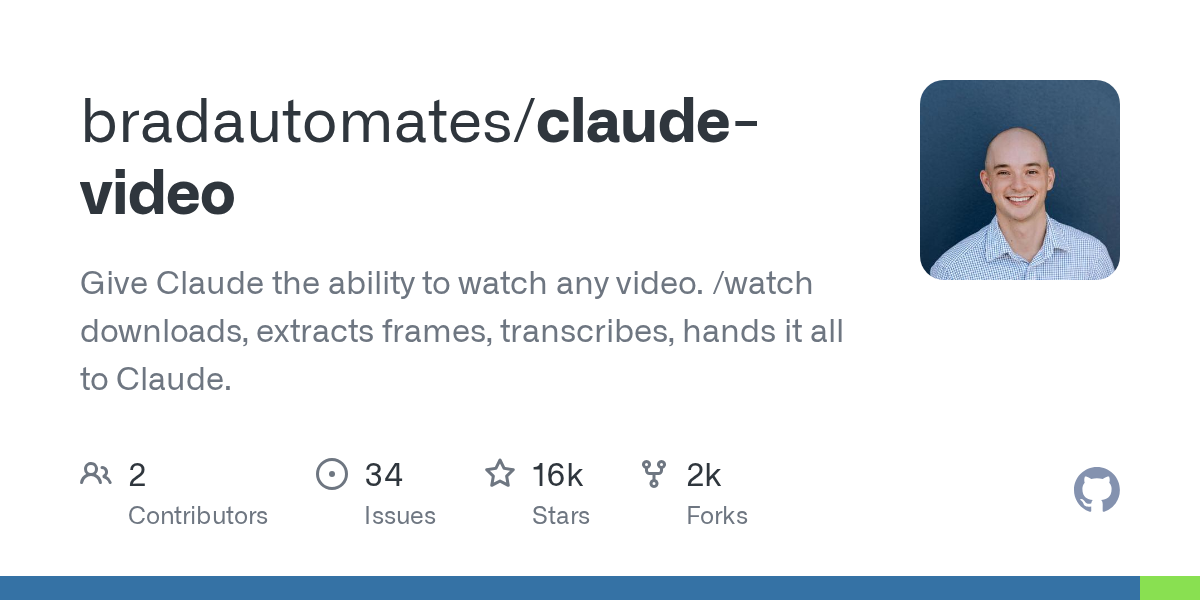
claude-video: Empowering Claude to Watch and Analyze Any Video Content
August 27, 2026
The claude-video repository provides a powerful tool, `/watch`, enabling Claude to process and understand video content. It automates the download, frame extraction, and transcription of any video, feeding this rich data to Claude. This allows Claude to answer questions and provide insights grounded in what it has actually seen and heard.

jellyfin-ffmpeg: Custom FFmpeg for Enhanced Jellyfin Media Processing
October 31, 2025
jellyfin-ffmpeg is a specialized build of FFmpeg, tailored with custom extensions and enhancements specifically for the Jellyfin media server. This repository provides the core multimedia processing capabilities, ensuring optimal performance and compatibility within the Jellyfin ecosystem. It leverages the robust FFmpeg framework while adding specific optimizations for media playback, transcoding, and streaming in Jellyfin.

Editly: Slick, Declarative Command Line Video Editing & API
October 17, 2025
Editly is a powerful Node.js and ffmpeg-based tool for declarative non-linear video editing. It allows users to programmatically create videos from clips, images, audio, and titles with smooth transitions and music. Available as both a simple CLI and a flexible JavaScript API, Editly offers a fast and extensible solution for various video creation needs.

Vividl: Modern Video Downloader for Windows with youtube-dl/yt-dlp
October 11, 2025
Vividl is a free video downloader for Windows, providing a modern graphical user interface for the powerful command-line tools youtube-dl and yt-dlp. It enables users to effortlessly download videos from hundreds of websites, offering various formats and audio extraction. With its intuitive design, Vividl simplifies the process of saving online videos and supports parallel downloads.
Source repository
Open the original repository on GitHub.
17 counted GitHub visits