Agent Sandbox: Secure Local Development for AI Coding Agents
This repository profile is provided by osrepos.com, an open source repository discovery platform.
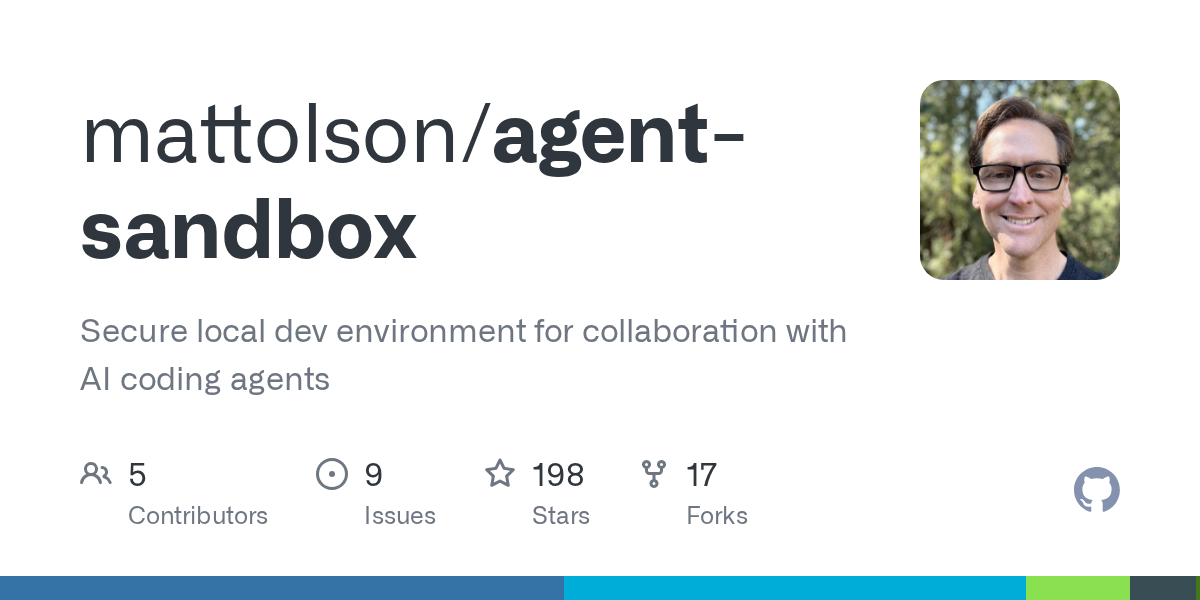
Summary
Agent Sandbox provides a robust and secure local development environment specifically designed for collaborating with AI coding agents. It ensures minimal filesystem access, configurable network egress policies, and secure secret injection, protecting your local machine from potentially risky agent operations. This project supports various AI agents and integrates seamlessly with both CLI and popular IDE devcontainer setups.
Repository Information
Topics
Click on any tag to explore related repositories
Use at your own risk
OSRepos shares public repositories for knowledge and discovery only. Any installation, execution, configuration, or use of code from these repositories is the user's own responsibility. Always review the repository, source code, dependencies, licenses, and security implications before running or installing anything. OSRepos is not responsible for issues, damages, or losses resulting from third-party repositories.
Introduction
Agent Sandbox is an innovative project that creates a secure, isolated local development environment for interacting with AI coding agents. In an era where AI agents are becoming powerful development partners, ensuring their operations are contained and safe is paramount. Agent Sandbox addresses this by providing a locked-down containerized environment with strict controls over filesystem access, network communication, and secret management.
Key features include minimal filesystem access, allowing agents to read/write only within their repository directory, and a configurable network egress policy enforced by a sidecar proxy. This proxy restricts network traffic by hostname, scheme, method, path, and query string. Furthermore, secrets like API keys are injected by the proxy, ensuring the agent container never directly accesses sensitive credentials. An iptables firewall prevents direct outbound traffic, guaranteeing all communication passes through the proxy, enhancing security.
Installation
Getting started with Agent Sandbox, especially on macOS with Colima, is straightforward. The project is designed to work with any Docker-compatible runtime.
1. Install Prerequisites
First, ensure you have a VM and Docker installed. Colima, Podman, OrbStack, Docker Desktop, or Rancher Desktop are all viable options. For Colima, use Homebrew:
brew install colima docker docker-compose docker-buildx
colima start
2. Install agentbox CLI
The agentbox command-line interface is central to managing your sandboxes. You can install it quickly via a curl command:
curl -fsSL https://github.com/mattolson/agent-sandbox/releases/latest/download/install.sh | sh
For more detailed installation options, refer to the GitHub Releases.
3. Initialize the Sandbox
Navigate to your project directory and initialize the sandbox:
agentbox init
This command interactively guides you through setting up the project name, agent, mode (CLI or Devcontainer), and IDE, generating the necessary Docker Compose and network policy files.
4. Start the Sandbox
CLI Mode:
agentbox exec
# Inside the container, start your agent, e.g., claude --dangerously-skip-permissions
Devcontainer Mode (VS Code / JetBrains):
For VS Code, install the Dev Containers extension and use the "Dev Containers: Reopen in Container" command. For JetBrains IDEs, open your project and select the devcontainer configuration from the Remote Development menu.
Examples
Agent Sandbox simplifies the management and execution of various AI coding agents within its secure environment. Here are some common use cases:
Running an Agent
After initializing and starting the sandbox, you can execute your chosen agent. For example, if you've configured Claude Code:
agentbox exec
# Now, inside the container, you can run:
claude --dangerously-skip-permissions
Switching Agents
Agent Sandbox allows you to switch between different agents without reinitializing your entire project, preserving agent-specific state and user overrides:
agentbox switch --agent codex
Customizing Network Policy
The network policy is highly customizable. You can edit the policy file to allow specific domains or services:
agentbox edit policy
This opens .agent-sandbox/policy/user.policy.yaml, where you can add rules like:
domains:
  - registry.npmjs.org
  - host: api.example.com
    rules:
      - schemes: [https]
        methods: [GET]
        path:
          prefix: /v1/public/
For detailed policy configuration, including GitHub Git integration with proxy-side credential injection, refer to the official documentation.
Why Use Agent Sandbox?
Agent Sandbox offers significant advantages for developers working with AI coding agents:
- Enhanced Security: It provides a robust sandboxed environment, minimizing risks associated with running AI agents locally. Features like minimal filesystem access, a strict network egress policy, and
iptablesfirewall prevent unauthorized operations and data exfiltration. - Secure Secret Management: API keys and other sensitive credentials are never exposed directly to the agent container. The sidecar proxy handles secret injection, keeping your tokens safe on the host machine.
- Reproducible Environments: Agents run in consistent Debian containers with pinned dependencies, ensuring reproducible results across different setups.
- Agent Flexibility: Easily switch between various supported agents (e.g., Claude Code, Codex, Gemini) without losing state or reconfiguring your project from scratch.
- IDE Integration: Seamlessly integrates with popular IDEs like VS Code and JetBrains via devcontainers, offering a familiar development workflow while maintaining security.
- Clear Guidance: The sandbox includes an
operating-in-agent-sandboxskill that guides agents on how to interact with the environment, explaining network policies and where to find the effective allowlist.
Links
- GitHub Repository: https://github.com/mattolson/agent-sandbox
- Releases: https://github.com/mattolson/agent-sandbox/releases
- Documentation: https://github.com/mattolson/agent-sandbox/tree/main/docs
Related repositories
Similar repositories that may be relevant next.
Source repository
Open the original repository on GitHub.
20 counted GitHub visits