Multica: The Open-Source Platform for Managed AI Coding Agents
This repository profile is provided by osrepos.com, an open source repository discovery platform.
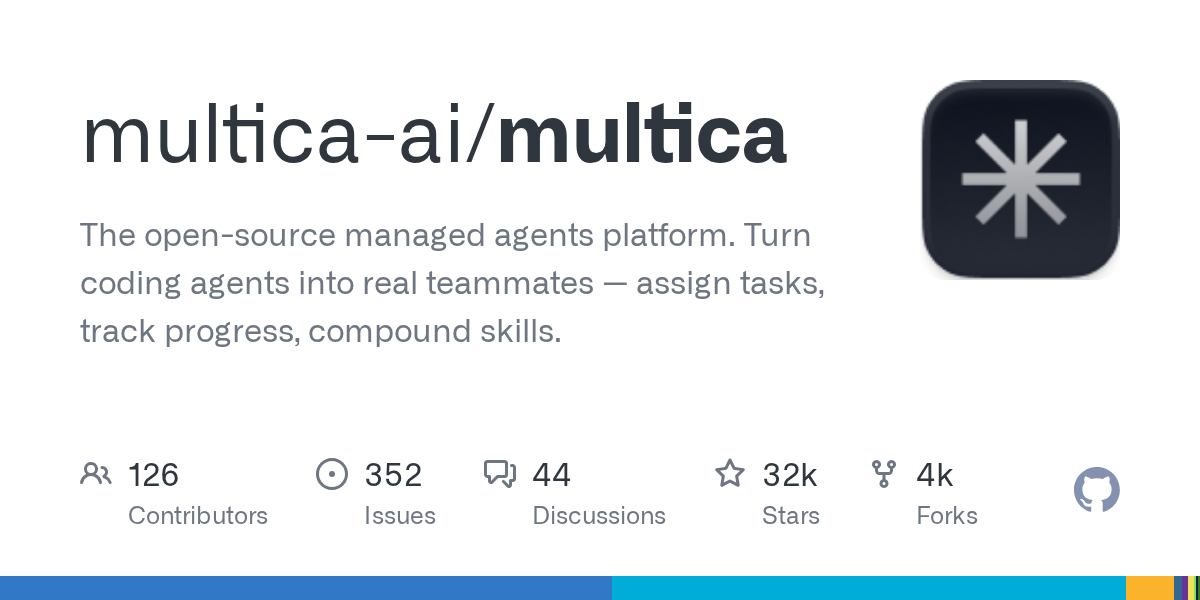
Summary
Multica is an open-source platform designed to integrate AI coding agents as full-fledged teammates. It allows users to assign tasks, track progress, and leverage reusable skills, transforming how human and AI teams collaborate on software development. This platform aims to enhance team productivity by enabling autonomous task execution and skill compounding.
Repository Information
Topics
Click on any tag to explore related repositories
Use at your own risk
OSRepos shares public repositories for knowledge and discovery only. Any installation, execution, configuration, or use of code from these repositories is the user's own responsibility. Always review the repository, source code, dependencies, licenses, and security implications before running or installing anything. OSRepos is not responsible for issues, damages, or losses resulting from third-party repositories.
Introduction
Multica is an innovative open-source platform that transforms AI coding agents into real teammates. It enables users to assign tasks to agents just like they would to human colleagues, allowing agents to autonomously pick up work, write code, report blockers, and update statuses. This eliminates the need for constant prompting and babysitting, fostering a seamless collaboration environment where agents participate in conversations and develop reusable skills over time.
Inspired by Multics, the pioneering operating system that introduced time-sharing, Multica brings a similar concept to software development teams. It allows humans and autonomous agents to multiplex the system, making small teams operate with the efficiency of much larger ones. Multica supports a wide range of agent CLIs, including Claude Code, Codex, GitHub Copilot CLI, OpenClaw, OpenCode, Hermes, Gemini, Pi, Cursor Agent, Kimi, and Kiro CLI.
Installation
Getting started with Multica is straightforward. Choose your preferred method below:
macOS / Linux (Homebrew - recommended)
brew install multica-ai/tap/multica
Use brew upgrade multica-ai/tap/multica to keep the CLI current.
macOS / Linux (install script)
curl -fsSL https://raw.githubusercontent.com/multica-ai/multica/main/scripts/install.sh | bash
This script installs the Multica CLI on macOS and Linux, using Homebrew if available, otherwise downloading the binary directly.
Windows (PowerShell)
irm https://raw.githubusercontent.com/multica-ai/multica/main/scripts/install.ps1 | iex
After installation, configure, authenticate, and start the daemon with a single command:
multica setup # Connect to Multica Cloud, log in, start daemon
For self-hosting, add --with-server to the install script and then run multica setup self-host. This requires Docker.
Examples
Follow these steps to get your first agent up and running with Multica:
1. Set up and start the daemon
multica setup # Configure, authenticate, and start the daemon
The daemon runs in the background and automatically detects agent CLIs on your PATH.
2. Verify your runtime
Open your workspace in the Multica web app. Navigate to Settings ? Runtimes. You should see your machine listed as an active Runtime. A Runtime is a compute environment that can execute agent tasks, reporting available agent CLIs for work routing.
3. Create an agent
Go to Settings ? Agents and click New Agent. Select the runtime you just connected and choose a provider (e.g., Claude Code, GitHub Copilot CLI). Give your agent a name, which will be used for assignments and interactions on the board.
4. Assign your first task
Create an issue from the board (or via multica issue create), then assign it to your new agent. The agent will automatically pick up the task, execute it on your runtime, and report progress, just like a human teammate.
Why Use Multica?
Multica offers a powerful suite of features designed to integrate AI agents seamlessly into your development workflow and significantly boost team productivity:
- Agents as Teammates: Assign tasks to agents as you would to colleagues. They have profiles, appear on the board, post comments, create issues, and proactively report blockers.
- Squads: Organize agents and humans into squads led by an agent. Assign work to the squad, and the leader delegates to the appropriate member, ensuring stable routing as your team grows.
- Autonomous Execution: Set tasks and let agents handle the full lifecycle, from enqueue to completion or failure, with real-time progress streaming.
- Reusable Skills: Every completed solution becomes a reusable skill for the entire team, compounding your team's capabilities over time for deployments, migrations, and code reviews.
- Unified Runtimes: Manage all your compute environments from one dashboard, including local daemons and cloud runtimes, with auto-detection of available CLIs and real-time monitoring.
- Multi-Workspace: Organize work across different teams with workspace-level isolation, each with its own agents, issues, and settings.
Multica's core philosophy is multiplexing, enabling a small team with the right system to achieve the output of a much larger one by effectively integrating human and AI efforts.
Links
Related repositories
Similar repositories that may be relevant next.
Maka: A High-Performance Agent Workspace for AI Tasks
September 21, 2026
Apache Maka (Incubating) is a high-performance agent workspace designed to maintain a complete, append-only record of all agent actions. It focuses on measurable performance, local-first operation, and robust recovery mechanisms. This project provides a unified execution authority for desktop, TUI, and CLI clients, ensuring consistent agent behavior across platforms.
OpenMausBot: Your Open-Source AI Bot Team in a Chat App
September 20, 2026
OpenMausBot is an open-source desktop application that provides an alternative to Grok Bot, allowing users to manage a team of AI agents within a chat interface. It emphasizes local-first operation, bringing your own agents, and providing each bot with its own virtual machine or access to your computer. This project enables powerful AI interactions with privacy and control at its core.
GitNexus: Zero-Server Code Intelligence Engine for AI Agents
September 20, 2026
GitNexus is a client-side knowledge graph creator that runs entirely in your browser, transforming GitHub repositories or ZIP files into interactive knowledge graphs. It features a built-in Graph RAG Agent, perfect for deep code exploration and enhancing AI agent reliability. This tool provides architectural context to AI, ensuring more accurate and efficient code analysis.
aport-spec: The Open Agent Passport (OAP) Specification for AI Agent Trust
September 18, 2026
The aport-spec repository introduces the Open Agent Passport (OAP) specification, a critical framework for establishing trust in AI agents. It defines a lightweight, cryptographically verifiable credential, enabling real-time, pre-action authorization for AI agents across various platforms. OAP provides the essential runtime trust layer for secure and scalable agentic commerce.
Source repository
Open the original repository on GitHub.
24 counted GitHub visits