OpenPencil: The AI-Native, Open-Source Figma Alternative Design Editor
This repository profile is provided by osrepos.com, an open source repository discovery platform.
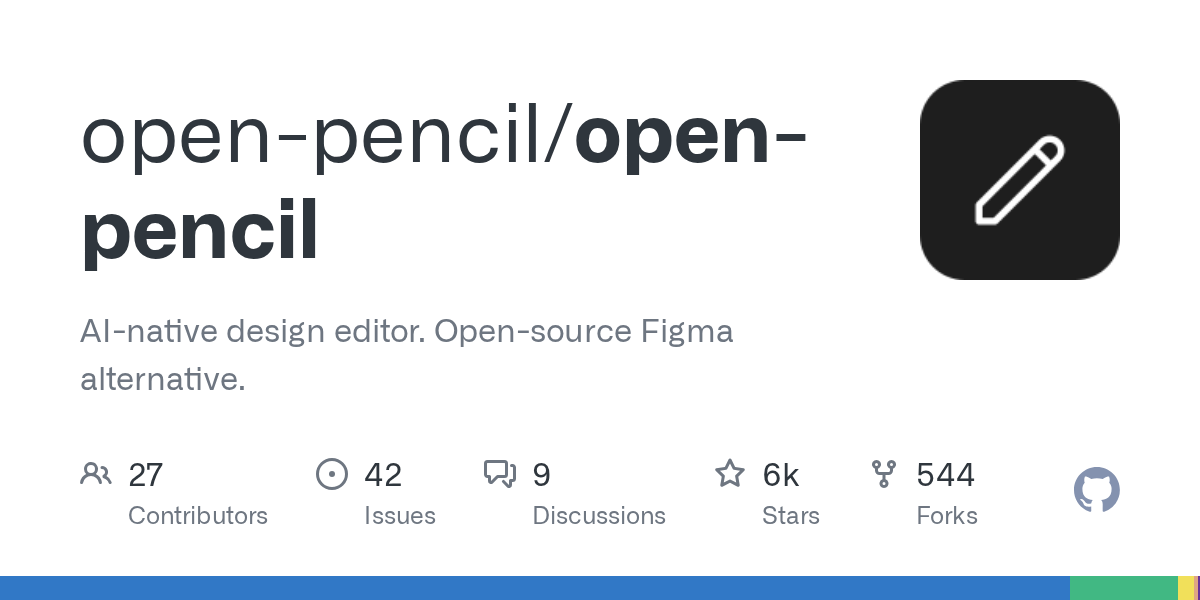
Summary
OpenPencil is an innovative AI-native design editor, serving as a powerful open-source alternative to Figma. It supports .fig files, integrates AI for design creation, and provides a fully programmable toolkit with a headless Vue SDK. This project emphasizes real-time collaboration and local data control, making it a compelling choice for designers and developers seeking flexibility and ownership.
Repository Information
Topics
Click on any tag to explore related repositories
Use at your own risk
OSRepos shares public repositories for knowledge and discovery only. Any installation, execution, configuration, or use of code from these repositories is the user's own responsibility. Always review the repository, source code, dependencies, licenses, and security implications before running or installing anything. OSRepos is not responsible for issues, damages, or losses resulting from third-party repositories.
Introduction
OpenPencil is an AI-native, open-source design editor that aims to be a comprehensive alternative to Figma. It allows users to open and edit .fig and .pen design files, offering a familiar interface with powerful new capabilities. Key features include built-in AI for design creation, a fully programmable toolkit with a headless Vue SDK for custom editors, and real-time collaboration without needing a server or account.
Currently under active development, OpenPencil is not yet ready for production use. It focuses on Figma-compatible visual design with real-time collaboration, distinguishing itself from other projects with similar names.
You can try OpenPencil online to explore its features.
Installation
Getting started with OpenPencil is straightforward. For macOS users, you can install it via Homebrew:
brew install openpencil
Alternatively, you can download the desktop application from the releases page or simply use the web app directly, which requires no installation.
Examples
OpenPencil offers a robust command-line interface (CLI) for interacting with design files programmatically.
First, install the CLI globally:
npm install -g @open-pencil/cli
# or: bun add -g @open-pencil/cli
Here are some examples of what you can do:
Inspect Design Files
Browse node trees, search by name or type, and dig into properties without opening the editor:
openpencil tree design.fig
openpencil find design.pen --type TEXT
openpencil node design.fig --id 1:23
openpencil info design.fig
Example output:
[0] [page] "Getting started" (0:46566)
  [0] [section] "" (0:46567)
    [0] [frame] "Body" (0:46568)
      [0] [frame] "Introduction" (0:46569)
        [0] [frame] "Introduction Card" (0:46570)
          [0] [frame] "Guidance" (0:46571)
Query with XPath
Use XPath selectors to find nodes by type, attributes, and structure:
openpencil query design.fig "//FRAME"                              # All frames
openpencil query design.fig "//FRAME[@width < 300]"                # Frames under 300px
openpencil query design.fig "//TEXT[contains(@name, 'Button')]"     # Text with 'Button' in name
openpencil query design.fig "//*[@cornerRadius > 0]"               # Rounded corners
openpencil query design.fig "//SECTION//TEXT"                       # Text inside sections
Export Designs
Render to various formats like PNG, JPG, WEBP, SVG, .fig, or JSX. You can also export selections/pages as .fig and convert whole documents:
openpencil export design.fig                           # PNG
openpencil export design.fig -f jpg -s 2 -q 90        # JPG at 2x, quality 90
openpencil export design.fig -f fig --page "Page 1"   # Export a page as .fig
openpencil export design.fig -f jsx --style tailwind   # Tailwind JSX
openpencil convert design.pen output.fig               # Convert between document formats
Example JSX output:
<div className="flex flex-col gap-4 p-6 bg-white rounded-xl">
  <p className="text-2xl font-bold text-[#1D1B20]">Card Title</p>
  <p className="text-sm text-[#49454F]">Description text</p>
</div>
Lint Design Files
Catch naming, layout, structure, and accessibility issues directly from the terminal:
openpencil lint design.fig
openpencil lint design.pen --preset strict
openpencil lint design.fig --rule color-contrast
openpencil lint design.fig --list-rules
Analyze and Extract Design Tokens
Audit an entire design system, find inconsistencies, extract palettes, and identify components:
openpencil analyze colors design.fig
openpencil analyze typography design.fig
openpencil analyze spacing design.fig
openpencil analyze clusters design.fig
openpencil variables design.fig
Example analysis output:
#1d1b20  ?????????????????????????????? 17155×
#49454f  ?????????????????????????????? 9814×
#ffffff  ?????????????????????????????? 8620×
#6750a4  ?????????????????????????????? 3967×

3771× frame "container" (100% match)
     size: 40×40, structure: Frame > [Frame]

2982× instance "Checkboxes" (100% match)
     size: 48×48, structure: Instance > [Frame]
Script with Figma Plugin API
Use eval to access the full Figma Plugin API, allowing you to modify files and write back changes:
openpencil eval design.fig -c "figma.currentPage.children.length"
openpencil eval design.fig -c "figma.currentPage.selection.forEach(n => n.opacity = 0.5)" -w
Control the Running App
When the desktop app is running, the CLI can connect via RPC to operate on the live canvas, useful for automation or AI agents:
openpencil tree                               # Inspect the live document
openpencil export -f png                      # Screenshot the current canvas
openpencil eval -c "figma.currentPage.name"   # Query the editor
Why Use OpenPencil?
OpenPencil emerges as a vital project in response to the limitations of closed design platforms like Figma. Figma's proprietary binary format and active resistance to programmatic access, such as the removal of CDP support, often hinder developer workflows and limit user control over their design files.
OpenPencil offers a compelling alternative by being entirely open-source (MIT licensed), natively reading .fig files, and ensuring every operation is scriptable. This approach guarantees that your design data remains on your machine and your workflows are not subject to external platform changes, providing true ownership and flexibility.
Links
For more information and to get involved, explore these official links:
Related repositories
Similar repositories that may be relevant next.
dcc-mcp-blender: AI-Driven 3D Workflows with an Embedded MCP Server
September 24, 2026
dcc-mcp-blender is a powerful Blender addon that integrates an embedded Streamable HTTP MCP server directly into Blender. This allows any MCP-compatible AI client to seamlessly control and automate your 3D modeling, animation, and rendering workflows. It offers over 200 pre-built tools and an extensible skill system for robust production environments.
Guaardvark: Your Self-Hosted AI Studio for Agents, Media, and Code
September 21, 2026
Guaardvark is a comprehensive, self-hosted AI studio designed for local execution of advanced AI tasks. It integrates coding agents, media generation (video, image, music, voice), and robust RAG capabilities, all running on a single GPU. This platform prioritizes privacy and user control, enabling a full AI workstation experience on your own hardware.
APort Agent Guardrails: Deterministic Pre-Action Authorization for AI Agents
September 19, 2026
APort Agent Guardrails provides deterministic pre-action authorization for AI agents, running security checks before any tool execution. This crucial mechanism prevents prompt injection from bypassing policy, ensuring robust and auditable protection for AI-driven operations.
aport-spec: The Open Agent Passport (OAP) Specification for AI Agent Trust
September 18, 2026
The aport-spec repository introduces the Open Agent Passport (OAP) specification, a critical framework for establishing trust in AI agents. It defines a lightweight, cryptographically verifiable credential, enabling real-time, pre-action authorization for AI agents across various platforms. OAP provides the essential runtime trust layer for secure and scalable agentic commerce.
Source repository
Open the original repository on GitHub.
149 counted GitHub visits