presentation-ai vs open-carrusel
AI-assisted presentation and Instagram carousel tools compared
presentation-ai creates editable, general-purpose slide decks from a topic, while open-carrusel creates Instagram carousels through chat with Claude Code. The first supports presentation, sharing, and PowerPoint export; the second focuses on locally stored carousel projects and PNG export.
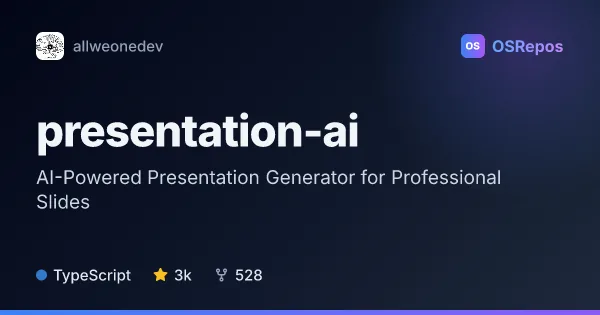
presentation-ai: Generate and Edit AI-Powered Presentations
ALLWEONE Presentation AI creates customizable slide decks from a topic, with an editable outline and live generation. It suits people who want to build, edit, present, or export presentations in a web app.

open-carrusel: Design Instagram Carousels with Claude
Open Carrusel is a local-first web app for creating Instagram carousel slides through conversations with Claude Code. Preview, reorder, and export slides as PNGs sized for Instagram.
| presentation-ai | open-carrusel | |
|---|---|---|
| Language | TypeScript | TypeScript |
| License | MIT | MIT |
| Stars | 3k | 475 |
| Forks | 528 | 84 |
| Last analyzed | Oct 3, 2026 | Oct 3, 2026 |
Key differences
- presentation-ai generates an outline for review before creating slides; open-carrusel turns chat instructions into HTML and CSS slides.
- presentation-ai supports OpenAI, Ollama, and LM Studio for text generation; open-carrusel relies on Claude Code for AI chat.
- presentation-ai supports presenting, public sharing, and PowerPoint export; open-carrusel exports PNGs in Instagram dimensions.
- presentation-ai can be self-hosted but its full local setup requires PostgreSQL and authentication configuration; open-carrusel is designed for local, single-user use and stores project data in JSON files.
- Both projects use TypeScript and MIT licensing. presentation-ai has 3k stars and 528 forks, compared with 475 stars and 84 forks for open-carrusel.
Choose presentation-ai if you…
- need to generate and edit general-purpose presentations from a topic.
- want options for text generation with OpenAI, Ollama, or LM Studio.
- need to present, share, or export decks to PowerPoint.
Choose open-carrusel if you…
- want to create Instagram carousels through a chat interface with Claude Code.
- need PNG exports in Instagram dimensions and tools to preview and reorder slides.
- prefer a local, single-user workflow with carousel projects and brand settings stored on your machine.
Compare the numbers side by side, or add more projects
This comparison is generated with AI from the OSRepos analyses of both projects. Always check each project's repository and documentation before choosing.