OrcaReplay: Time Travel for AI Agents, Debugging and Evaluation
This repository profile is provided by osrepos.com, an open source repository discovery platform.
Summary
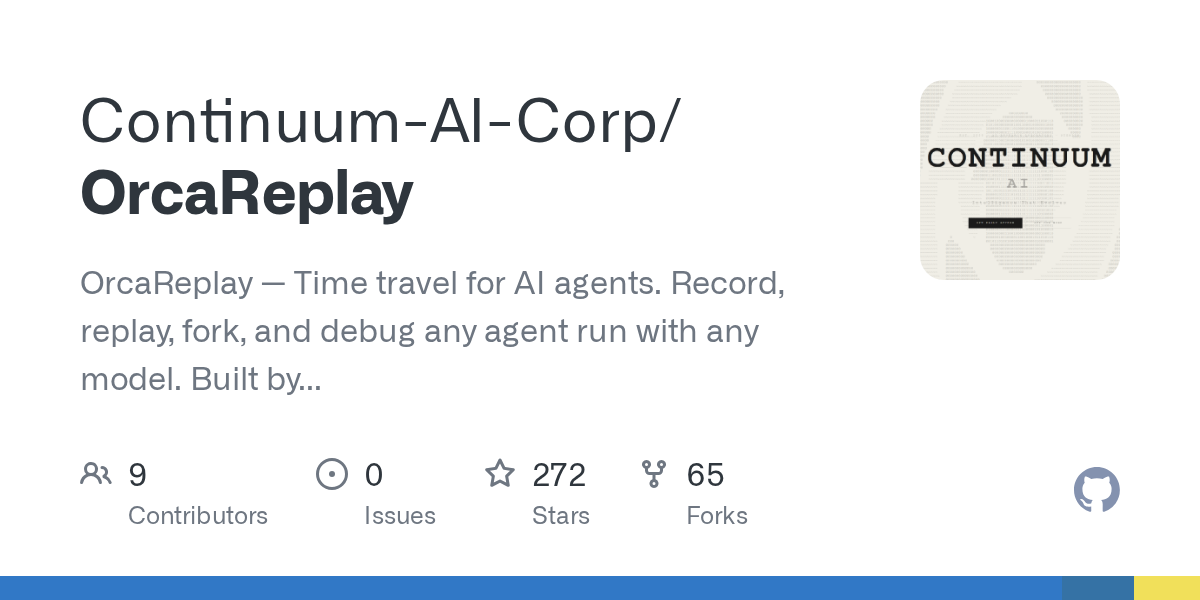
OrcaReplay introduces "time travel" capabilities for AI agents, allowing developers to record, replay, fork, and debug any agent run with any model. It addresses the challenges of AI agent debugging by providing byte-for-byte reproducibility, offline analysis, and the ability to compare different models from specific checkpoints. This tool, built by the OrcaRouter.ai team, enhances observability and control over complex agent behaviors.
Repository Information
Topics
Click on any tag to explore related repositories
Use at your own risk
OSRepos shares public repositories for knowledge and discovery only. Any installation, execution, configuration, or use of code from these repositories is the user's own responsibility. Always review the repository, source code, dependencies, licenses, and security implications before running or installing anything. OSRepos is not responsible for issues, damages, or losses resulting from third-party repositories.
Introduction
OrcaReplay, developed by the OrcaRouter.ai team, is a powerful tool designed to bring "time travel" capabilities to AI agents. It allows you to record, replay, fork, and debug any agent run with any model, providing unprecedented control and insight into agent behavior. Imagine your agent breaking something at 2 AM, and being able to replay it exactly, offline, as many times as you like at 9 AM, without incurring additional costs or network dependencies.
Why Use OrcaReplay and Key Benefits
Traditional AI agent debugging often feels like archaeology, involving endless terminal scrolling, inconsistent re-runs, and adding print statements to unfamiliar code. Existing observability tools typically focus on costs and token usage, rather than answering the critical question: "Why did it delete my migration file?" OrcaReplay solves this by giving you the entire run back, complete and reproducible.
Key benefits and features include:
- Exact Reproducibility: Record any agent and reproduce the run byte-for-byte, offline, with no model calls, tokens, or charges. This ensures consistent debugging environments.
- Forking and Comparison: From any step in a recorded run, you can fork it onto a different model and compare their outcomes. This is invaluable for evaluating model performance and identifying optimal configurations.
- No Agent Modification Required: OrcaReplay works by standing up a local proxy and setting two environment variables, capturing traffic at the process and socket boundary. This means it works with any agent, regardless of whether you own or can edit its code, or even if it uses its own API key.
- Comprehensive Capture: It sees beyond the model API, capturing shell exit codes, file writes, and other side effects that SDK wrappers cannot reach. It even records agents with no API endpoint to redirect, using TLS interception.
- Persistent Traces: Runs are saved as self-contained files, meaning you can analyze them long after the terminal session has closed.
- Causal Graphs: Visualize what produced what with
orca graph. It shows recorded edges (direct cause-and-effect) and inferred edges (derived relationships), helping you understand complex agent interactions. - Interactive UI: The
orca uicommand opens a self-contained HTML file, providing a visual timeline of the run. You can filter events, step through the run, or watch it play back at its actual pace. - Model Comparison with Cost Analysis:
orca compareforks a recorded run onto multiple models from the same checkpoint, grading each with a command you choose. It provides real token counts and costs, allowing for informed decisions. - Run Sharing:
orca pushandorca pullcommands facilitate sharing recorded runs between local machines and a gateway, enabling collaborative debugging and analysis.
Installation
OrcaReplay requires Node.js version 20 or newer. It has no native dependencies, ensuring a smooth installation process.
To install globally:
npm i -g orcareplay
orca doctor
orca doctor checks your environment for Node, Git, and available agents.
Examples
Try it in three commands
Get started quickly with orcareplay by installing the orca command and recording your first agent run:
npm i -g orcareplay             # the package is orcareplay; the command it installs is orca

orca record claude              # your agent, unmodified, doing whatever it does
orca replay last                # the same run again, no network, no tokens, no charge
orca replay last --from 4 --model claude-haiku-4-5 --ui
The third command demonstrates the power of forking, allowing you to run the same scenario from a specific step with a different model, with the UI for visualization.
What a bug hunt actually looks like
Suppose your agent was supposed to fix a failing authentication test, exited successfully, but the test still fails. OrcaReplay helps you uncover the truth:
$ orca show last
run_6473f858b59e  generic-openai@0.1.0  14 events  exit 0

SEQ  KIND   WHAT                                            DETAIL
0    RUN    run started                                     generic-openai
1    SNAP   tree 919d32ba037537b43814c83779963b2cc3023db7   0 changed
2    MODEL  claude-opus-5                                   1 messages
3    MODEL  claude-opus-5                                   stop: tool_use · 100 in · 20 out
4    TOOL   edit_file                                       {"path":"auth.ts",…}
5    SNAP   tree c6af62b75c0c8b8938bd6087328b5148f3dcd534   1 changed
6    FILE   auth.ts                                         modified +1 ?3
7    TOOL   edit_file                                       ok
8    MODEL  claude-opus-5                                   3 messages
9    MODEL  claude-opus-5                                   stop: end_turn · 101 in · 5 out
10   SNAP   tree c6af62b75c0c8b8938bd6087328b5148f3dcd534   0 changed
11   SHELL  ["sh","-c","node --check nonexistent-file.ts"]  /tmp/hunt
12   SHELL  shell result                                    exit 1 · 43ms
13   RUN    run ended                                       exit 0

info usage input=201 output=25 cost=$0.004890
This output reveals crucial details: the file auth.ts was indeed modified (seq 6), but the agent's internal check failed (seq 12, exit 1), yet the agent itself exited 0. This discrepancy is why the test still failed. You can then use orca graph last to visualize the causal chain of events, highlighting what led to the failure.
To compare how different models would handle the same bug, use orca compare:
$ orca compare last --from 5 --models claude-opus-5,claude-haiku-4-5 --verify "npm test"
MODEL             VERDICT  TOKENS  COST       WALL  RUN
claude-opus-5     pass     201/25  $0.004890  0.3s  run_1457b35062ba
claude-haiku-4-5  pass     201/25  $0.000326  0.3s  run_b8ee08479fb6
This shows both models passed, but one cost 15 times less, providing clear data for optimization.
Links
- GitHub Repository: OrcaReplay
- Built by OrcaRouter: OrcaRouter.ai
- All Model APIs: OrcaRouter Models
- X (formerly Twitter): @OrcaRouter
- Discord: OrcaRouter Community
- Hugging Face: OrcaRouter
- Ollama: OrcaRouter
Source repository
Open the original repository on GitHub.