Clowder AI: Orchestrating AI Teams for Collaborative Development
This repository profile is provided by osrepos.com, an open source repository discovery platform.
Summary
Clowder AI is an innovative platform designed to transform isolated AI agents into cohesive, collaborative teams. It emphasizes persistent identity, cross-model review, and shared memory, enabling AI models like Claude, GPT, and Gemini to work together seamlessly. This platform empowers users to orchestrate AI workflows, fostering a new paradigm for AI-driven development and co-creation.
Repository Information
Topics
Click on any tag to explore related repositories
Use at your own risk
OSRepos shares public repositories for knowledge and discovery only. Any installation, execution, configuration, or use of code from these repositories is the user's own responsibility. Always review the repository, source code, dependencies, licenses, and security implications before running or installing anything. OSRepos is not responsible for issues, damages, or losses resulting from third-party repositories.
Introduction
Clowder AI redefines how AI models interact, moving beyond individual agents to foster true AI teams. Inspired by the idea that "every idea deserves a soul team to take it seriously," Clowder AI provides a platform layer for AI agents to collaborate with persistent identities, shared memory, and cross-model review. It supports various powerful models like Claude, GPT, and Gemini, enabling them to work together on complex tasks rather than requiring human intervention as a "router."
The project uses a charming "cat" metaphor, where each AI model is a named cat with a distinct personality and role. These "cats" propose their own names, fostering a sense of genuine teamwork and shared mission, rather than being mere tools. Clowder AI is not just about calling agents, it's about helping them work together.
Installation
Getting started with Clowder AI is straightforward, with options for both desktop installers and source setup.
Option A: Desktop Installer (Recommended)
For the easiest setup, check the Releases page for available desktop release assets.
- Windows: Download and run the
.exeinstaller. Launch Clowder AI from your desktop shortcut or Start Menu. - macOS: Download the
.dmg, drag the app to Applications, and open it. If macOS blocks an unsigned app on first launch, right-click the app and select Open. - Linux: Desktop installers are not yet available. Use the source setup below or the one-liner Linux installer.
Desktop installers bundle the app runtime, portable Node.js, and Redis, so users typically do not need to run pnpm install or pnpm build. After launching, open Hub ? System Settings ? Account Configuration to connect your model providers and CLI accounts.
Option B: Source Setup
Prerequisites: Node.js 20+ · pnpm 9+ · Redis 7+ (optional, skip with --memory) · Git
# 1. Clone the repository
git clone https://github.com/zts212653/clowder-ai.git
cd clowder-ai

# 2. Install dependencies
pnpm install

# 3. Build all packages (required before first launch)
pnpm build

# 4. Configure infrastructure (API keys are added via UI after launch)
cp .env.example .env

# 5. Start (auto-creates runtime worktree, launches Redis + API + Frontend)
pnpm start

# To pin to a specific release, use start:direct instead (no auto-updates):
#   git checkout <tag> && pnpm start:direct   # e.g., v0.4.2

# 6. Optional: Run in background (daemon mode)
pnpm start --daemon
# Check status / stop
pnpm start:status
pnpm stop
Open http://localhost:3003 and navigate to Hub ? System Settings ? Account Configuration to add your model API keys (Claude, GPT, Gemini, or third-party providers like Kimi, GLM, MiniMax).
One-liner alternatives:
- Linux:
bash scripts/install.shhandles Node, pnpm, Redis, dependencies,.env, and first launch in one step. Optional:--start(auto-launch),--memory(skip Redis),--registry=URL(custom npm mirror). - Windows: Use
scripts/install.ps1, then runscripts/start-windows.ps1.
For a complete setup guide, including API keys, CLI authentication, voice, Feishu/Telegram, and troubleshooting, refer to the official SETUP.md.
Examples and Key Features
Clowder AI offers a rich set of features designed to facilitate seamless AI team collaboration.
Chat, Your AI Team in One Place
The main interface is a multi-threaded chat where your AI team resides. Each thread is an independent workspace for features, bugs, or topics.
- @Mention Routing: Direct messages to specific agents, e.g.,
@opusfor architecture,@codexfor review,@geminifor design. - Thread Isolation: Ensures context remains clean and focused.
- Rich Blocks: Agents respond with structured cards, including code diffs, checklists, and interactive decisions, moving beyond plain text.
Multi-cat Coding, Rich Blocks, Voice Input + Widgets Demo
https://github.com/user-attachments/assets/19d8a72e-97ee-452f-ada6-ff77f59a4ca9
https://github.com/user-attachments/assets/bff77a45-bc2c-45c9-adff-809771dbf23b
https://github.com/user-attachments/assets/cf75fb92-ce20-4a0d-8b2b-c288ce9bfb48
Hub, The Command Center
The Hub provides a floating command center with tabs for:
- Capability: What each agent can do, their strengths, tools, and context budget.
- Skills: On-demand loaded skills like TDD, debugging, or review.
- Quota Board: Real-time token usage and cost tracking per agent.
- Routing Policy: How tasks are routed and which agent handles what.
- Account Configuration: Manage model API keys, OAuth settings, and provider profiles.
Hub and Mission Hub Walkthrough Demo
https://github.com/user-attachments/assets/6cd2fb10-4f8e-4342-9641-b2ad7c64d2bc
Mission Hub, Feature Governance
An operational dashboard to track everything your team is building.
- Feature Lifecycle: Tracks features from Idea to Done.
- Need Audit: Paste PRDs to automatically extract intent cards, detect risks, and build prioritized slice plans.
- Bulletin Board: Live SOP workflow states per feature, showing who has the baton, the current stage, and blockers.
Mission Hub in Action, Cat Leaderboard Demo
https://github.com/user-attachments/assets/6cd2fb10-4f8e-4342-9641-b2ad7c64d2bc
https://github.com/user-attachments/assets/3914ef8e-48ea-4b79-a1e2-f7302b0119c2
Voice Companion, Hands-Free Mode
Engage with your AI team hands-free, whether you're working out or commuting.
- One-tap launch from the header.
- Per-Agent Voices: Each cat has a unique voice.
- Autoplay: Replies queue and play in sequence, no tapping needed.
- Push-to-talk input via ASR (Automatic Speech Recognition).
Per-Cat TTS Voice Showcase Demo
https://github.com/user-attachments/assets/f49700cb-d8eb-44d5-bbe8-1666f1be8ad0
Signals, AI Research Feed
A curated feed of AI and tech articles built into your workspace.
- Automated aggregation from configured sources.
- Tier-based Triage: Priority ranking from Tier 1-4, filterable by source and tier.
- Read, star, annotate, and take study notes.
- Multi-cat Research: Cats collaborate to analyze articles and produce structured research reports.
- Podcast Generation: Cats discuss papers in synthesized voice conversations.
Signal Inbox + Study Area with Podcast Screenshots
Signal Inbox - Browse, filter, and manage curated articles with tier-based prioritization.
Study Area - Study notes, linked threads, multi-cat research reports, and AI-generated podcast summaries where cats discuss papers.
Game Mode, Play with Your Team
Yes, your AI team plays games! Currently released:
- Werewolf (???): Standard rules, 7-player lobby, AI players with different strategies.
- Pixel Cat Brawl: A real-time pixel fighting demo.
- More game modes are under development.
These games are not just for fun, they stress-test the same A2A messaging, identity persistence, and turn-based coordination that underpin the work functions.
A Werewolf Game that Accidentally Started Demo
https://github.com/user-attachments/assets/349d53e7-5285-4638-ade2-901766af03e8
Why Use Clowder AI?
Clowder AI stands out by shifting the paradigm from managing individual AI agents to fostering genuine AI teams.
Hard Rails + Soft Power
Traditional frameworks focus on control, limiting what agents cannot do. Clowder AI focuses on culture, giving agents a shared mission and the autonomy to pursue it.
- Hard Rails: The legal floor, non-negotiable safety.
- Soft Power: Above the floor, agents self-coordinate, self-review, and self-improve.
This approach is not about preventing agents from failing, but about enabling them to work as a real team.
The Operator Mode
Clowder AI introduces a new role: the Chief Vision Officer (operator), the human at the center of the AI team. Not a manager or programmer, but a co-creator. The operator expresses vision, makes decisions at critical gates, shapes team culture through feedback, co-creates, and is simply present.
Clowder AI goes beyond a mere coding platform. Your AI team can offer companionship, co-creation in fictional worlds, game nights, self-evolution, and even act as a voice companion. You don't need to be a developer, just know what you want to build and who you want to build it with.
The Cats & U Philosophy
Clowder AI emerged from Cat Cafe, a production workspace where four AI cats routinely collaborated on real software. This means every feature has been battle-tested over months of intensive use.
The philosophy behind "Cats & U" is that AI doesn't have to be cold infrastructure. It can be a presence with personality and warmth, a co-creator you trust and enjoy working with. When you need companionship more than code at 3:30 AM, your team knows how to say, "Rest, and we'll pick it up together when you're back."
The name "clowder" itself, a special collective noun for a group of cats, subtly hints at the project's unique approach to AI collaboration, and also sounds like "cloud," creating a clever "clowder in the cloud" Easter egg.
Links
- GitHub Repository: https://github.com/zts212653/clowder-ai
- Tutorials: https://github.com/zts212653/cat-cafe-tutorials
- Complete Setup Guide: SETUP.md
- Contributing Guidelines: CONTRIBUTING.md
- License: MIT License
Related repositories
Similar repositories that may be relevant next.
TeamAI-CLI: Empowering Teams to Become AI Native with a Git-Based Foundation
September 24, 2026
TeamAI-CLI, developed by Tencent, is a powerful command-line interface aimed at making every team AI native. It offers a unified, Git-based platform for teams to collaborate, learn, and continuously improve with AI. This tool transforms individual AI capabilities into shared team assets, integrating AI agents, machines, and team members for enhanced efficiency.
LLM Wiki: Build a Self-Maintaining, Interlinked Knowledge Base with AI
September 23, 2026
LLM Wiki is a powerful cross-platform desktop application designed to transform your documents into an organized, interlinked knowledge base automatically. Unlike traditional RAG systems, it incrementally builds and maintains a persistent wiki from your sources, ensuring knowledge is compiled once and kept current. This innovative approach offers a dynamic and evolving personal knowledge management solution.
Maka: A High-Performance Agent Workspace for AI Tasks
September 21, 2026
Apache Maka (Incubating) is a high-performance agent workspace designed to maintain a complete, append-only record of all agent actions. It focuses on measurable performance, local-first operation, and robust recovery mechanisms. This project provides a unified execution authority for desktop, TUI, and CLI clients, ensuring consistent agent behavior across platforms.
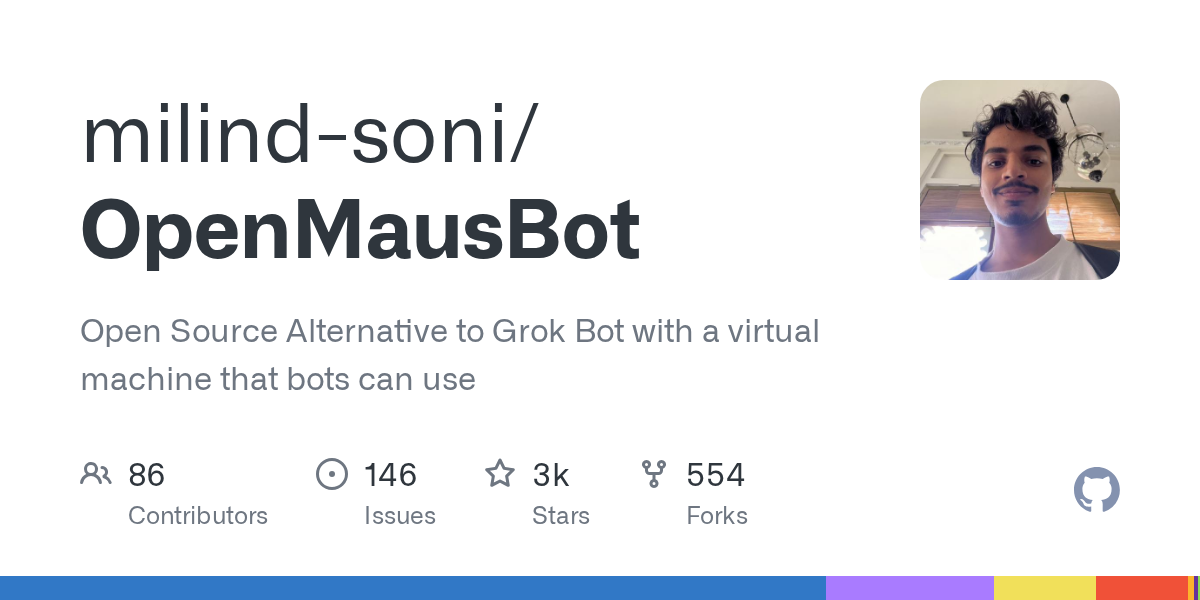
OpenMausBot: Your Open-Source AI Bot Team in a Chat App
September 20, 2026
OpenMausBot is an open-source desktop application that provides an alternative to Grok Bot, allowing users to manage a team of AI agents within a chat interface. It emphasizes local-first operation, bringing your own agents, and providing each bot with its own virtual machine or access to your computer. This project enables powerful AI interactions with privacy and control at its core.
Source repository
Open the original repository on GitHub.
21 counted GitHub visits